
PiCom picture communicator
PiCom helps people who find speaking difficult to communicate with picture symbols. Tap a symbol and PiCom speaks it, using your device's own voices or a recording you make.
- AAC users and families
- Speech and language therapists
- SEN teachers and TAs
- Hospital and care staff
Try it: tap symbols to build a message, then tap 🔊 to hear it all. This is a small sample; PiCom's templates hold hundreds of words.
What PiCom does
PiCom is for children and adults who are non-verbal or find speech difficult, including autistic people and people with cerebral palsy, Down syndrome, motor neurone disease, or speech loss after a stroke. It is used at home, in schools and in hospitals, short or long term, and runs on tablets, phones and computers with no account needed.
Ready-made communicators
Start straight away with proven templates such as Project Core and CommuniKate, then edit or extend them.
Your device's voices
PiCom speaks with the text-to-speech voices on your device, so you get a wide choice of voices and languages.
Recorded voice
Record a familiar voice on any button, or import an audio file, instead of using text-to-speech.
Many ways to access
Touch, zoom, mouse wheel, joystick, Xbox controller, D-pad, cursor keys, switches, and face control on supported devices.
Edit any button
Change symbols, photos, colours, labels and spoken text. Add buttons that link to other boards.
Build from scratch
Set the grid size, fill each button, and share your communicator in the Open Board Format (.obz).
Open Board Format
Import and export .obf and .obz boards, so they move freely between PiCom and other AAC apps.
2,000+ symbols included
PiCom's own symbol set is built in, and you can search Global Symbols from the button editor.
Works offline
Once set up, PiCom communicates without an internet connection. You only need one for sharing boards and updates.
No account, no adverts
There is nothing to sign up for, no advertising, and no tracking of how PiCom is used.
Full screen or message bar
Run full screen, or show chosen words in a message bar. Works in landscape and portrait.
Many languages
Switch the interface to a wide range of languages and download translated versions of the templates.
PiCom on different devices
The same communicator runs on a Windows laptop, an iPad, an Android phone or a Chromebook.
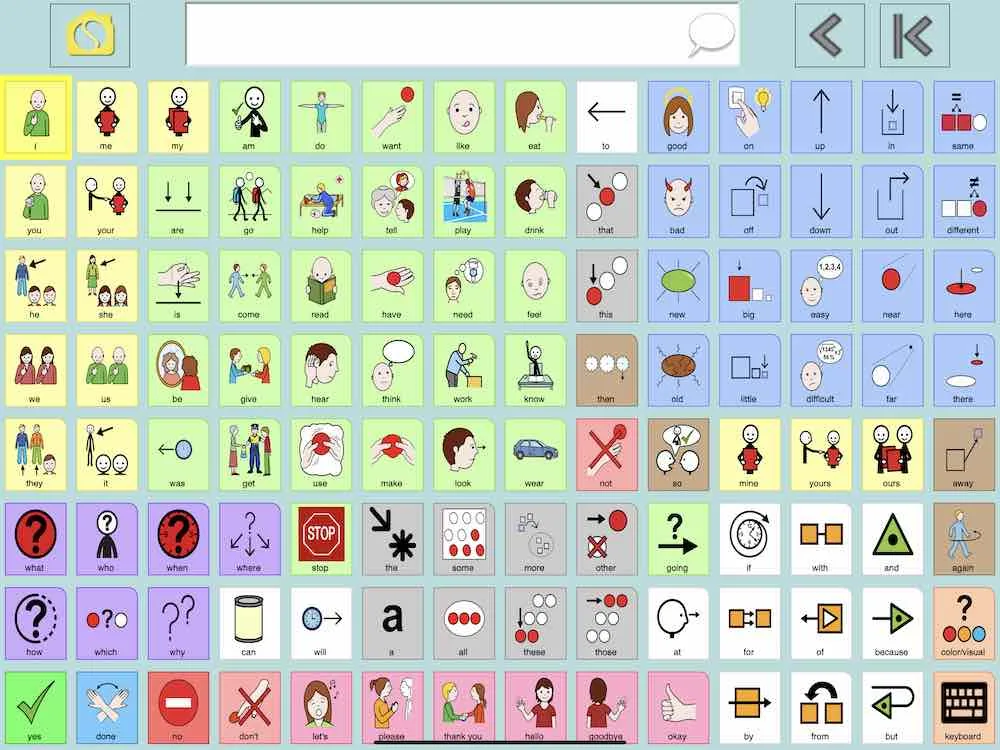
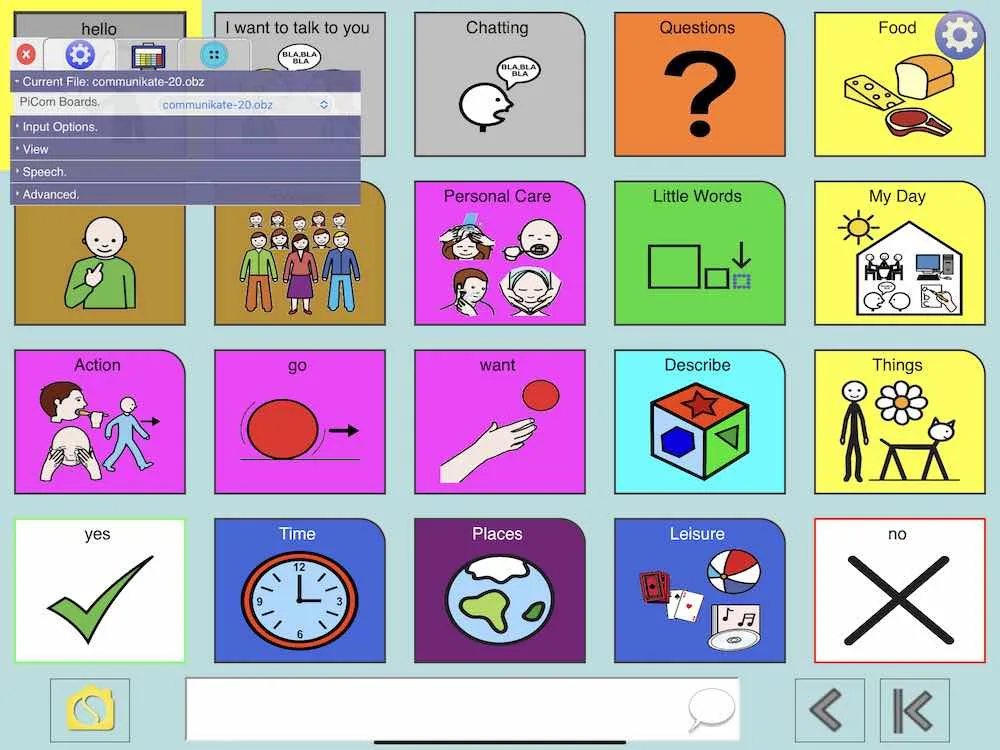
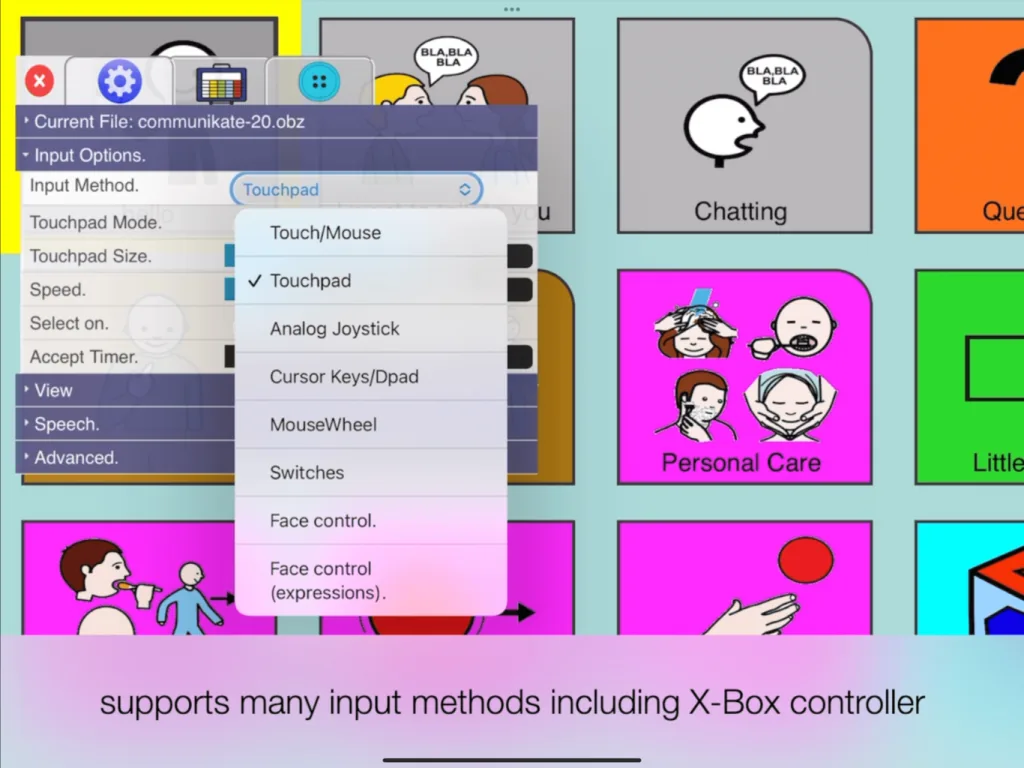
PiCom on Windows, iPad, Android and Chromebook
Get PiCom
PiCom is free for end users. Download it from your app store, or run it straight from your browser and install it from there.
How to install PiCom from your browser, including offline use
Make boards in Sensory Boards, play them in PiCom
Sensory Boards is our free board editor. Design a board with its symbol library or AI-generated images, print it, or export it as an .obz file and open it in PiCom for speech.
You can also edit boards directly in PiCom's own button editor, so use whichever suits the job.
Sensory Boards
Design, colour-code and print symbol boards in your browser.
exports .obf / .obzPiCom
Runs the board as a talking communicator with switch and touch access.
imports .obf / .obzHelp and resources
Help guide
Settings, input methods, switches, the button editor and sharing boards.
Help videos
Short videos on every part of PiCom's settings.
Symbols
Download PiCom's 2,000+ free symbols, and find more on Global Symbols.
Licence and source
Creative Commons licensing, open source code and commercial use.